Overview
What are Notifications?
Notifications are a way for event organizers (i.e. Admins) to send out announcements to all connected, all logged-in users in real time. Notifications are only received by users whose browsers have an open CTFd tab.
How do I send a notification?
Notifications can be sent in the Admin Panel. See this tutorial for a simple guide.
Types of Notifications
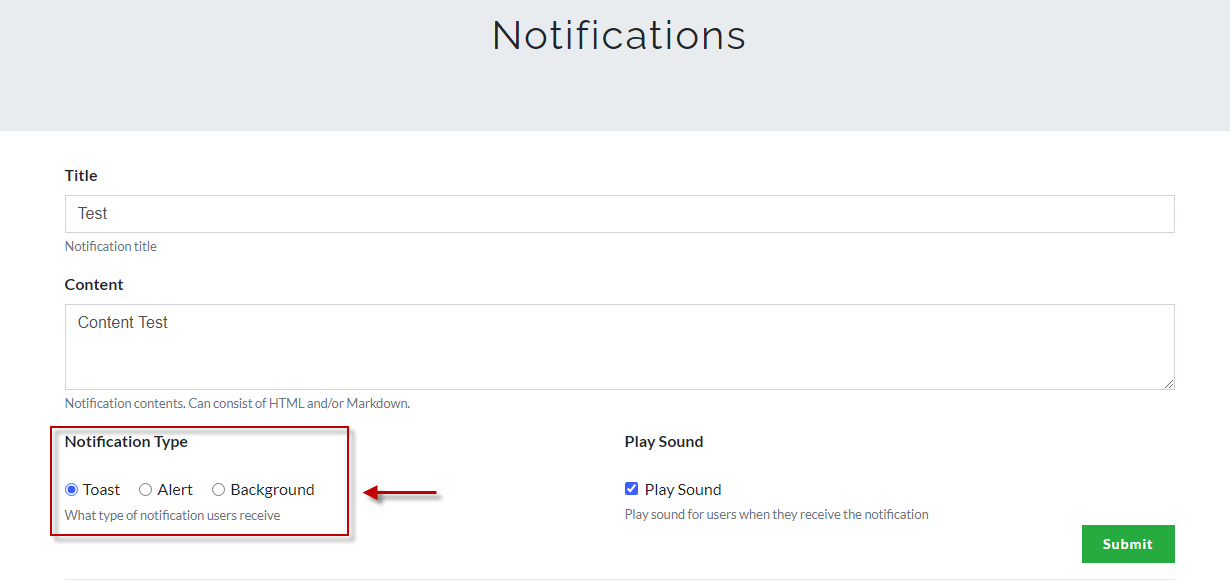
There are three types of notifications you can choose on CTFd which are the following:
- Toast
- Alert
- Background
Toast
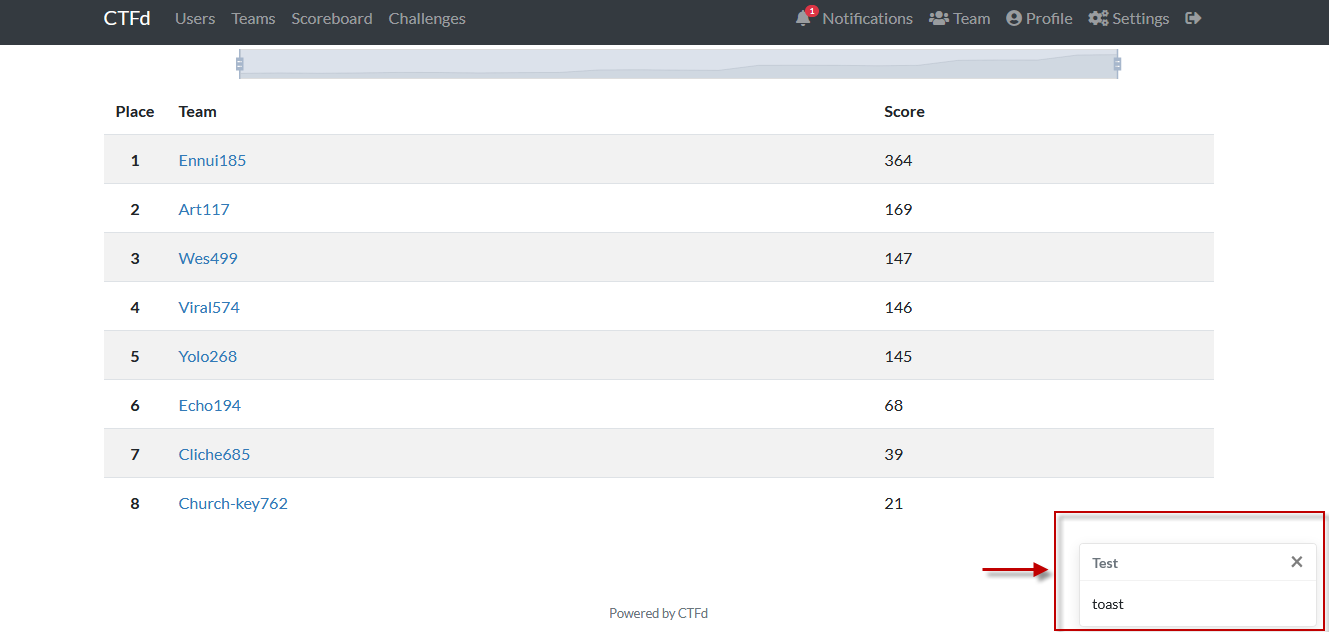
The Toast notification is an alert that pops-up on the bottom right-hand side of the user’s screen.
Alert
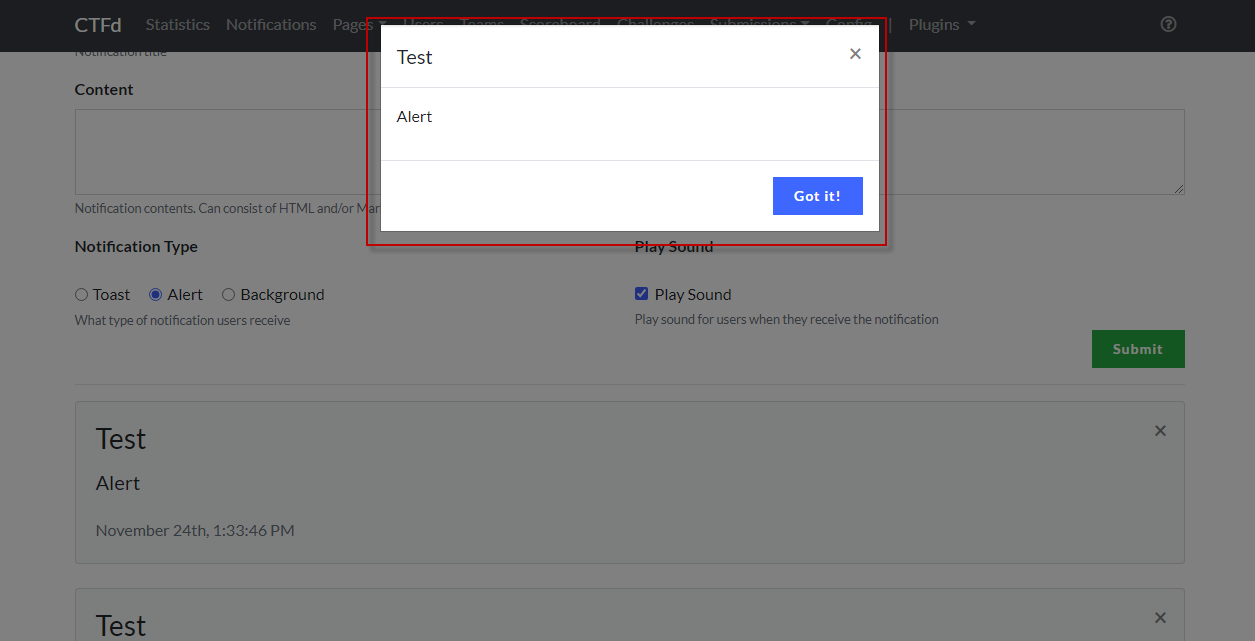
This notification pops-up in the middle of the user’s page.
Background
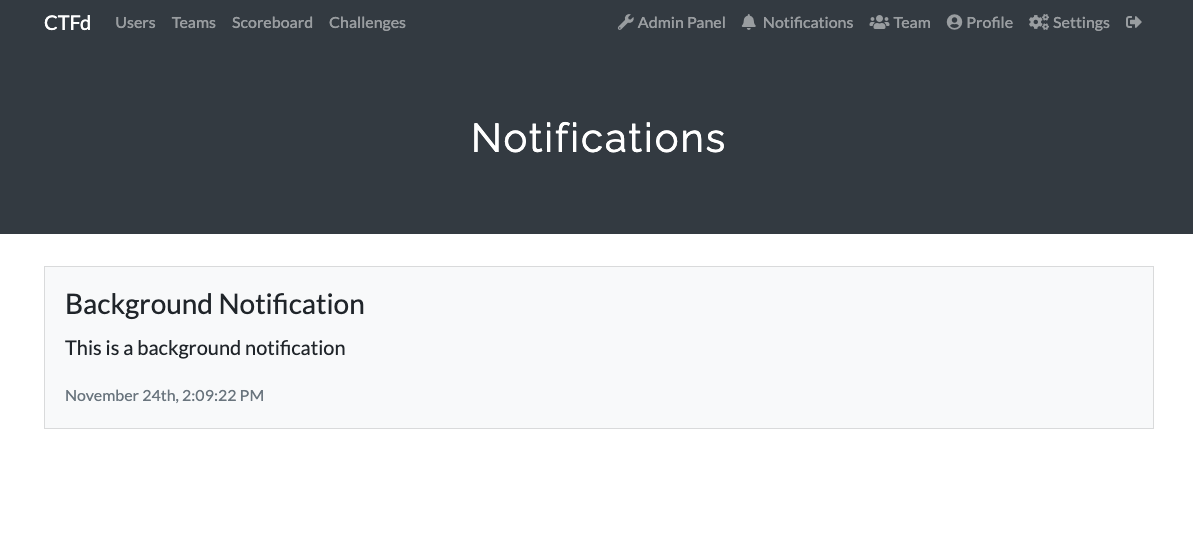
This notification will not show any pop-up but will notify the user on their notifications tab.
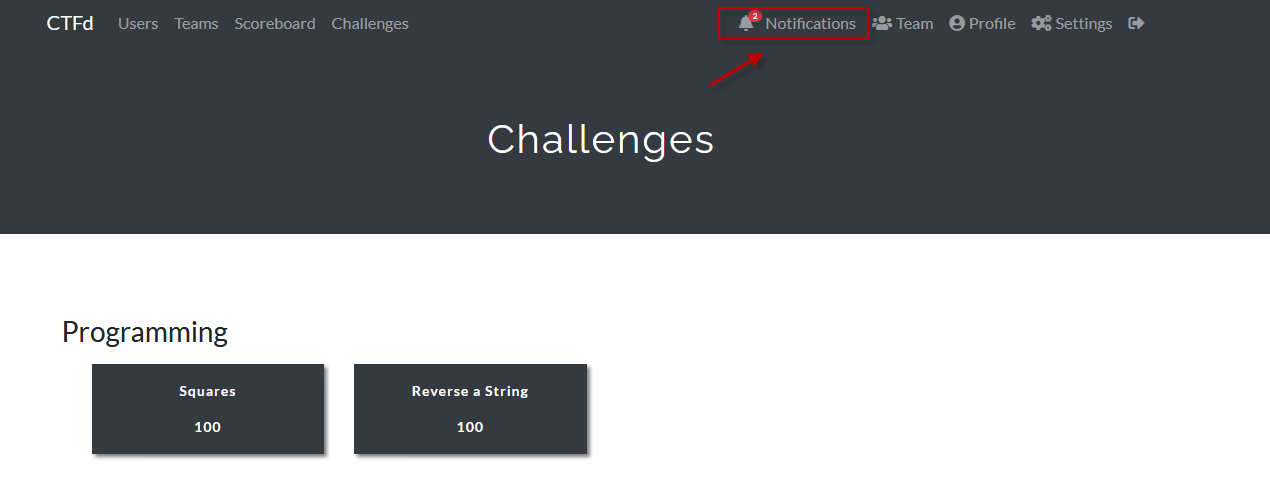
By clicking on the bell icon, users can review all notifications received.
Remember that regardless of the notification selected, users can read all received notifications in the notification tab.